Download e-PAN Card Online in 2026: 4 Easy Methods (Free PDF, Protean, UTIITSL & DigiLocker)

You can download e-PAN card online as a digitally signed PDF in just a few minutes. An e-PAN is as valid as the physical PAN card for most purposes, including bank KYC, income tax filing, investments and loan applications. You only need your PAN or Aadhaar number and access to your registered mobile number or email.
Many people misplace their physical PAN card or need a soft copy urgently for a job, loan or demat account. Instead of waiting weeks for a reprint, you can download e-PAN card instantly from official portals. This guide covers four easy methods, explains fees, PDF password rules and the PAN 2.0 changes, and shows how to fix common errors.
Table of Contents
What Is an e-PAN Card?
An e-PAN is a digital version of your PAN card issued by the Income Tax Department. It includes your name, father’s name, date of birth, photograph, signature and a QR code for verification. The e-PAN is digitally signed and is accepted as valid proof of PAN.
With the rollout of PAN 2.0, the department is moving PAN services to a unified digital platform with a dynamic QR code. Importantly, your existing 10-digit PAN remains valid. You do not need to apply again unless you want a correction or reprint.
Which Method Should You Use?
The right method to download e-PAN card depends on how your PAN was issued.
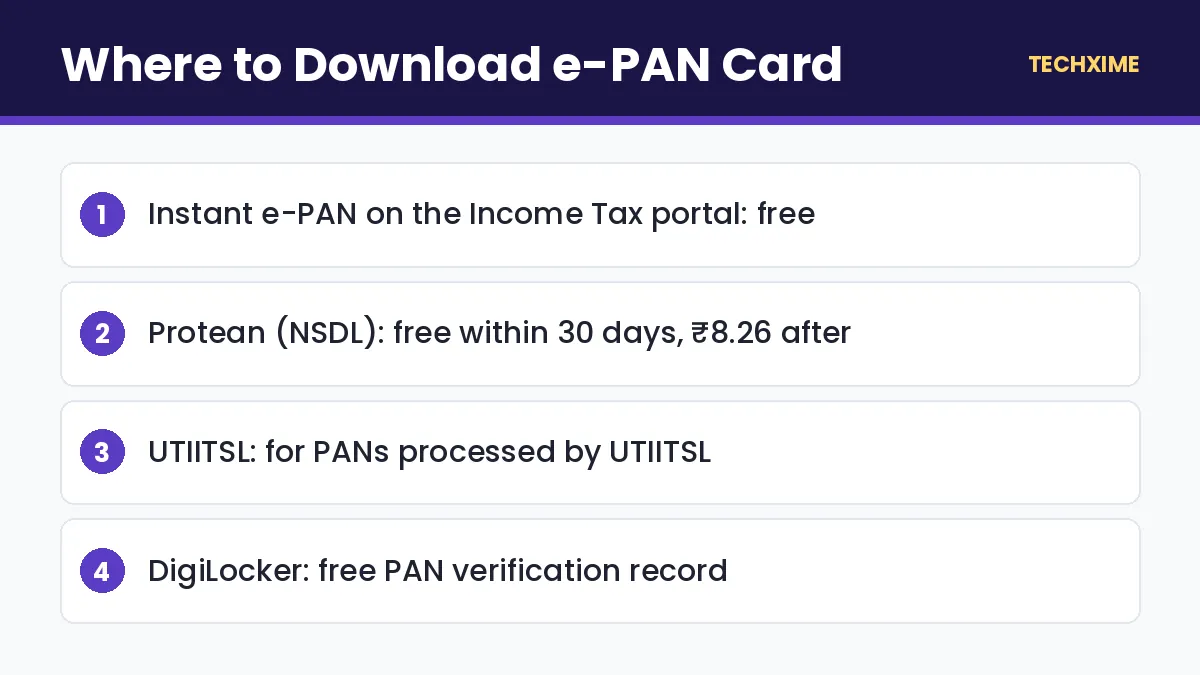
| Method | Best For | Fee |
|---|---|---|
| Income Tax e-filing (Instant e-PAN) | PAN allotted through Instant e-PAN using Aadhaar | Free |
| Protean (NSDL) | PAN applied or updated through Protean | Free within 30 days of allotment or update; ₹8.26 after that |
| UTIITSL | PAN applied or updated through UTIITSL | Free within the initial period; small fee after |
| DigiLocker | Anyone with PAN linked to Aadhaar | Free |
If you are not sure, check the acknowledgment slip of your PAN application. It will show whether it was processed by Protean or UTIITSL.
Method 1: Download e-PAN Card From the Income Tax Portal
This method works if you got your PAN through the Instant e-PAN facility using Aadhaar.
- Visit the Income Tax e-filing portal.
- Under Quick Links, click Instant e-PAN.
- Select Check Status / Download PAN.
- Enter your 12-digit Aadhaar number and click Continue.
- Enter the OTP sent to your Aadhaar-linked mobile number.
- View the status and click Download e-PAN.
The PDF downloads to your device immediately. If your Aadhaar-linked number is outdated, learn how to update mobile number in Aadhaar first.
Method 2: Download e-PAN Card From Protean (NSDL)
Use this method if your PAN was issued or last updated through Protean.
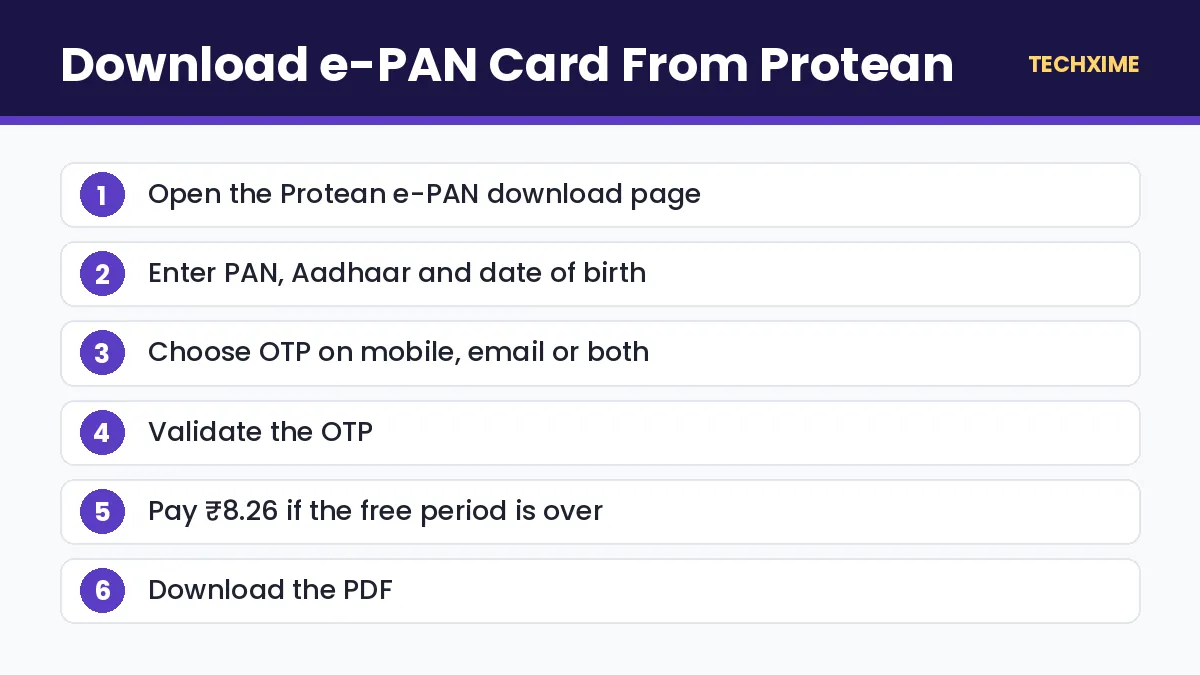
- Open the Protean e-PAN download page on onlineservices.proteantech.in.
- Select PAN (or acknowledgment number if you have a recent application).
- Enter your PAN, Aadhaar number (for individuals) and date of birth.
- Tick the declaration, fill in the captcha and submit.
- Choose to receive the OTP on your registered mobile number, email or both.
- Enter the OTP and validate.
- If the free period is over, pay ₹8.26 online.
- Click Download PDF.
Protean allows free download up to three times within 30 days of PAN allotment or the latest update. After that, a nominal fee of ₹8.26 including GST applies.
Method 3: Download e-PAN Card From UTIITSL
If your PAN was issued through UTIITSL, follow these steps.
- Visit the UTIITSL PAN portal.
- Go to Download e-PAN.
- Enter your PAN, date of birth and captcha.
- Verify using the OTP sent to your registered mobile or email.
- Pay the fee if applicable.
- Download the e-PAN PDF.
Method 4: Get PAN in DigiLocker
DigiLocker lets you fetch a digital PAN record directly from the Income Tax Department.
- Open the DigiLocker app or website and sign in with your Aadhaar-linked mobile number.
- Go to Search Documents or Issued Documents.
- Search for PAN Verification Record by the Income Tax Department.
- Enter your PAN details as requested and fetch the document.
- The PAN record appears in your Issued Documents section.
Documents in DigiLocker’s Issued Documents section are treated as equivalent to original documents under the Information Technology rules that govern DigiLocker. This is a handy backup, although some institutions still prefer the e-PAN PDF.
Download e-PAN Card: Quick Comparison of Requirements
| Method | Details Needed | OTP Sent To |
|---|---|---|
| Income Tax portal | Aadhaar number | Aadhaar-linked mobile |
| Protean | PAN, Aadhaar, date of birth | Mobile or email registered with PAN |
| UTIITSL | PAN, date of birth | Mobile or email registered with PAN |
| DigiLocker | PAN details | Aadhaar-linked mobile for login |
e-PAN PDF Password
The e-PAN PDF is password-protected. The password is your date of birth in DDMMYYYY format. For example, if your date of birth is 5 March 1995, the password is 05031995. For companies or firms, use the date of incorporation or formation.
Is e-PAN Valid Everywhere?
Yes, an e-PAN is legally valid proof of PAN. Banks, brokers, employers and government offices accept it for KYC. You can print it in colour and use it like a normal card. Some offices may still ask for the physical card, so it is a good idea to keep both.
How to Order a Physical PAN Card Reprint
If you want a new physical card, you can order a reprint from Protean or UTIITSL. The fee is ₹50 for delivery within India. Under PAN 2.0, new physical cards are being issued on durable PVC with an updated QR code.
Common Errors and How to Fix Them
“Record Not Found”
You may be using the wrong portal. Try the other agency, Protean or UTIITSL, or use the Income Tax portal if you applied through Instant e-PAN.
OTP Not Received
Check whether your registered mobile number or email is still active. If not, update your details through a PAN correction request.
Details Mismatch With Aadhaar
The name and date of birth must match your Aadhaar. Correct the mismatched document first.
PAN Shows as Inoperative
If your PAN is not linked with Aadhaar, it may be inoperative. Check your PAN Aadhaar link status and complete linking.
Payment Deducted but No Download
Wait a few hours and try again using the transaction reference. If the problem continues, contact the agency’s helpdesk.
Tips to Keep Your PAN Safe
– Never share your PAN image on social media or unknown websites. – Share a PAN copy only with trusted institutions and write the purpose on printed copies. – Watch your credit report for loans taken in your name. Learn how to check CIBIL score for free. – Report misuse to the Income Tax Department and your bank immediately.
e-PAN vs Physical PAN Card vs PAN 2.0
| Feature | e-PAN | Physical PAN Card | PAN 2.0 Card |
|---|---|---|---|
| Format | Digitally signed PDF | Laminated or PVC card | PVC card with dynamic QR |
| Cost | Free or ₹8.26 | ₹50 reprint | As notified |
| Delivery | Instant download | Posted | Posted |
| Validity | Valid proof of PAN | Valid proof of PAN | Valid proof of PAN |
All three carry the same PAN number, so you do not need to choose one over another. Most people download e-PAN card as a backup and keep the physical card for offices that ask for it.
When Do You Need an e-PAN?
You will find a soft copy useful in many situations:
- Opening a bank or demat account online: Most platforms ask you to upload a PAN copy.
- Applying for a loan or credit card: Lenders need PAN for credit checks.
- Joining a new job: HR teams ask for PAN to deduct TDS correctly.
- Buying property or vehicles: PAN is mandatory for high-value transactions.
- Investing in mutual funds, shares or bonds: KYC requires PAN.
- Filing income tax returns: PAN is your tax identity.
Having a saved PDF means you never have to search for the card when you need it urgently.
How to Apply for a New PAN If You Do Not Have One
If you have never had a PAN, you can apply for an instant e-PAN free of cost using Aadhaar on the Income Tax portal. Choose Instant e-PAN > Get New e-PAN, verify your Aadhaar details with OTP, and your PAN will be allotted within minutes. You can then download e-PAN card using the same page.
Quick Summary: Download e-PAN Card
– To download e-PAN card instantly, use the Income Tax portal if your PAN was issued through Instant e-PAN. – Use Protean or UTIITSL to download e-PAN card if your PAN was processed by those agencies. – The first downloads within 30 days are free; later downloads cost ₹8.26 on Protean. – The PDF password is your date of birth in DDMMYYYY format. – Always download e-PAN card only from official government or authorised portals.
How to Verify an e-PAN Card
Sometimes you may need to confirm that a PAN is genuine, for example when hiring a tenant or employee. You can verify it in two ways:
- Scan the QR code: The QR code on the e-PAN contains the cardholder’s details. Scanning it with an official PAN QR reader shows the data stored by the department.
- Verify Your PAN service: On the Income Tax e-filing portal, use Verify Your PAN under Quick Links. Enter the PAN, name, date of birth and mobile number, and the portal confirms whether the details match and the PAN is active.
Checking helps you avoid fake PAN cards, which are often used in loan and rental frauds.
How to Correct Details Before You Download e-PAN Card
If your name, date of birth, photo or signature on PAN is wrong, fix it before you download e-PAN card, so the new PDF shows the correct information.
- Visit the Protean or UTIITSL website.
- Select Changes or Correction in existing PAN data.
- Fill in the form with the correct details and upload proof, such as Aadhaar.
- Pay the correction fee and submit.
- Once the correction is processed, you receive an updated e-PAN by email, and you can download e-PAN card again from the same portal.
Aadhaar-based e-KYC and e-sign make the correction process fully paperless for most individuals.
e-PAN for Companies, Firms and Trusts
Non-individual entities can also download e-PAN card files. The process is similar on Protean and UTIITSL, but instead of Aadhaar, you use the PAN and the date of incorporation or formation. The PDF password is the date of incorporation in DDMMYYYY format.
Digital Safety Tips for Your e-PAN PDF
– Store the PDF in DigiLocker or a password-protected folder. – Do not upload your e-PAN to random websites that promise loans or rewards. – Write the purpose and date when you share a printed copy. – Delete e-PAN copies from shared or office computers after use.
Following these steps ensures the file you download e-PAN card as stays safe.
Key Terms Explained
– e-PAN: A digitally signed PDF version of your PAN card. – Instant e-PAN: Free, Aadhaar-based PAN allotment on the Income Tax portal. – Protean: The agency formerly known as NSDL e-Gov, which processes PAN applications. – UTIITSL: UTI Infrastructure Technology and Services Limited, the second PAN agency. – PAN 2.0: The government’s project to modernise PAN services with a unified platform and dynamic QR code. – PAN Verification Record: The digital PAN document available in DigiLocker.
Final Checklist
1. Identify whether your PAN was issued via Instant e-PAN, Protean or UTIITSL. 2. Keep Aadhaar, PAN and date of birth ready. 3. Download e-PAN card from the correct portal. 4. Open the PDF with your date of birth as the password. 5. Save it in DigiLocker or a secure folder.
Real-Life Examples
Priya lost her wallet: She needed a PAN copy for a new job the next day. Using the Income Tax portal, she chose Instant e-PAN, entered her Aadhaar number and was able to download e-PAN card within five minutes.
Arjun’s PAN was processed by Protean: He needed a PDF for a home loan. He used Protean’s e-PAN page, verified with OTP on his email, paid ₹8.26 and received the file instantly.
A small business owner: She needed her firm’s e-PAN for a GST registration. She used the firm’s PAN and date of incorporation on the UTIITSL portal to download e-PAN card for the business.
Expert Tips
– Download e-PAN card soon after allotment or correction to use the free download window. – Keep your email and mobile number updated in PAN records so OTPs reach you. – Save the PDF in two places, such as DigiLocker and a secure cloud folder. – Print a colour copy and laminate it if you want a durable backup card. – Check that the photo and signature are clear before sharing the file.
Frequently Asked Questions
How can I download e-PAN card for free?
Use the Instant e-PAN option on the Income Tax portal if your PAN was allotted through Aadhaar, or download from Protean or UTIITSL within the free period after allotment or update.
What is the password for the e-PAN PDF?
It is your date of birth in DDMMYYYY format.
Is e-PAN valid like the physical PAN card?
Yes. An e-PAN is a digitally signed and legally valid document.
Do I need to apply for PAN 2.0?
No. Your existing PAN remains valid. You only need to apply if you want a correction or reprint.
What is the fee to download e-PAN card after 30 days?
Protean charges ₹8.26 including GST after the free period.
Can I download e-PAN using only Aadhaar?
Yes, if your PAN was allotted through Instant e-PAN. For other cases, you need your PAN and date of birth.
Staying Updated
PAN services keep improving under PAN 2.0, so always use official portals when you download e-PAN card. Official processes, fees and timelines can change over time.
Save this page, share it with family members who may need help, and read our other step-by-step guides on Techxime for Aadhaar, PAN, banking, vehicles and smartphones. If something in the process looks different on the official website, follow the latest instructions shown there, because government portals sometimes change their menus and button names without notice.
Conclusion
It is easy to download e-PAN card online in 2026. Use the Income Tax portal for PAN issued through Instant e-PAN, Protean or UTIITSL depending on where your PAN was processed, or fetch a digital copy through DigiLocker. Keep the PDF safe, remember that the password is your date of birth, and make sure your PAN is linked with Aadhaar so it stays operative.