
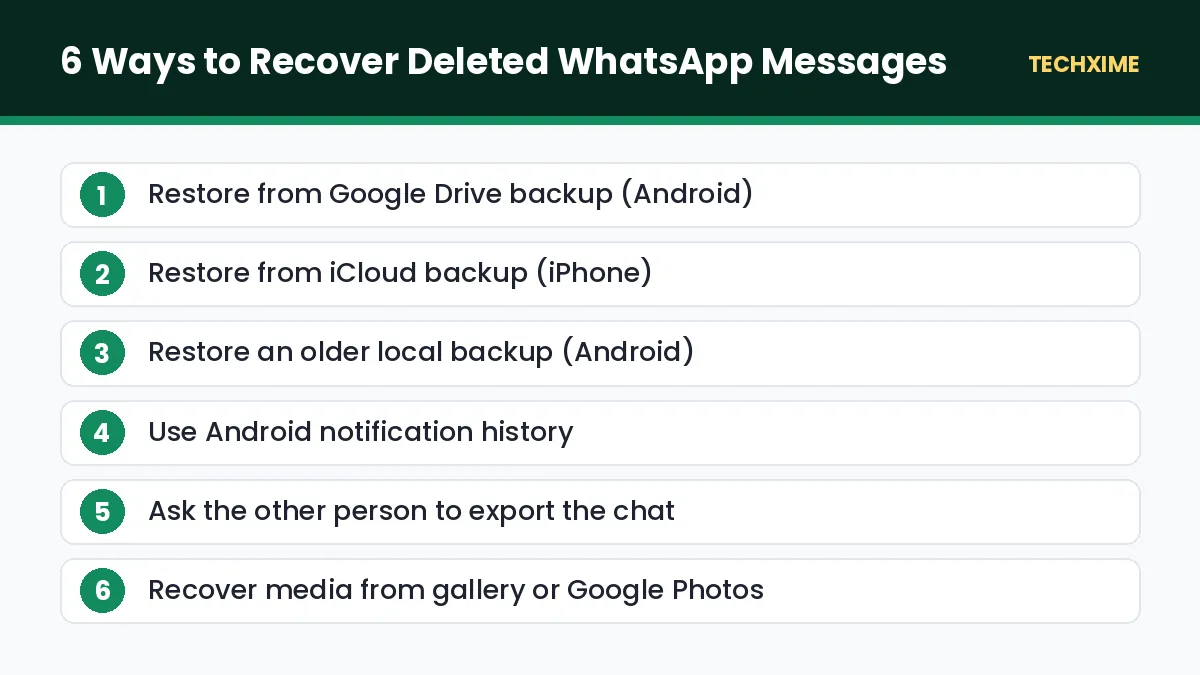
Accidentally cleared an important chat? Lost messages after changing your phone? You can often recover deleted WhatsApp messages using backups stored in Google Drive or iCloud, local backup files on Android, or the notification history feature on newer Android phones. The method that works depends on whether you had backups turned on and how long ago the messages were deleted.
WhatsApp does not store your messages on its servers after they are delivered, because chats are end-to-end encrypted. That means recovery depends on the copies saved on your phone or in your cloud backup. This guide explains six proven methods to recover deleted WhatsApp messages on Android and iPhone, what is possible and what is not, and how to make sure you never lose chats again.
Table of Contents
Can You Really Recover Deleted WhatsApp Messages?
Yes, in many cases. Here is a quick overview of when recovery is possible:
| Situation | Can You Recover? | Best Method |
|---|---|---|
| Deleted chat, backup taken before deletion | Yes | Restore from Google Drive or iCloud |
| Deleted chat, Android local backup exists | Often | Restore older local backup |
| Message deleted by sender (“Delete for everyone”) | Partly | Android notification history |
| No backup ever taken | Very difficult | Ask the other person to export the chat |
| Media files deleted from chat | Sometimes | Check phone storage or Google Photos |
The golden rule: act quickly. Every new backup can overwrite the old one that still contains your deleted chats.
Before You Start: Stop Automatic Backups
WhatsApp explains its backup options in the official WhatsApp Help Center. If you want to recover deleted WhatsApp messages from a backup, first make sure WhatsApp does not create a fresh backup that replaces the old one.
- Open WhatsApp and go to Settings > Chats > Chat backup.
- Note the date and time of the Last Backup.
- If the last backup was taken before you deleted the messages, set Back up to Google Drive or Auto Backup to Never or Off temporarily.
Method 1: Restore From Google Drive Backup (Android)
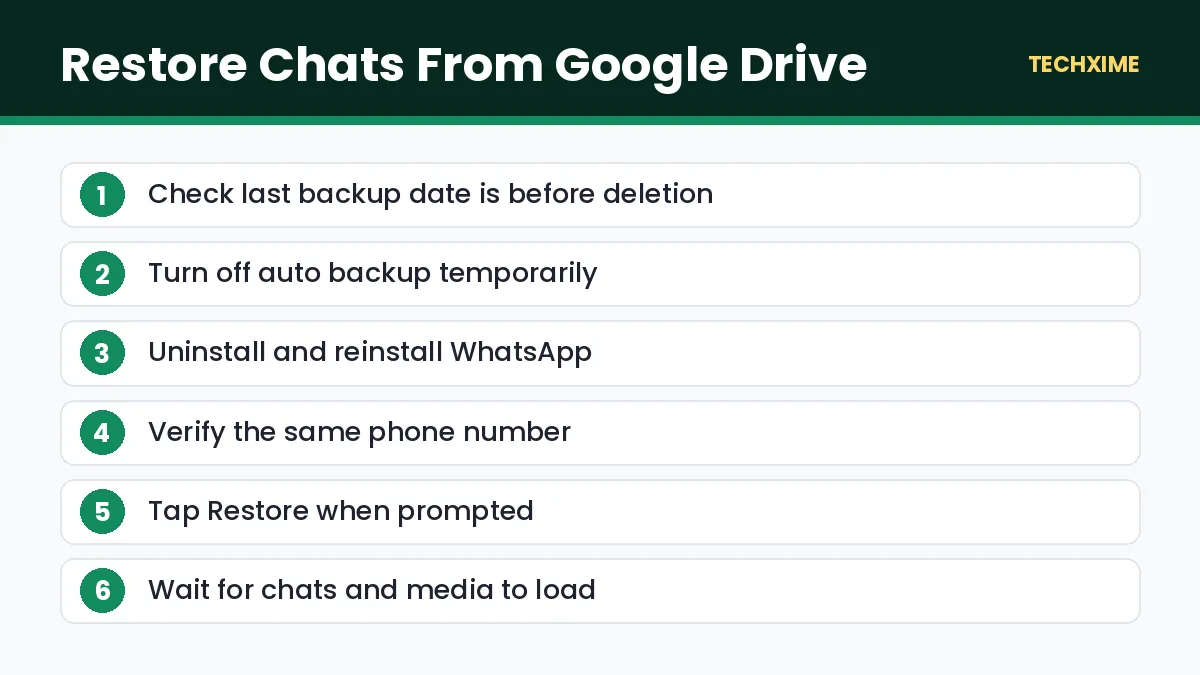
If your last Google Drive backup was taken before the messages were deleted, you can restore it.
- Check that the backup date is before the deletion.
- Uninstall WhatsApp, or clear its data from Settings > Apps > WhatsApp > Storage.
- Reinstall WhatsApp from the Play Store.
- Verify your phone number.
- When prompted, tap Restore to restore chats from Google Drive.
- Wait for the restore to complete, then tap Next.
Your chats will return to the state they were in at the time of the backup. Any messages received after that backup will be lost, so consider exporting important newer chats first.
Method 2: Restore From iCloud Backup (iPhone)
iPhone users can recover deleted WhatsApp messages from iCloud in a similar way.
- Go to Settings > Chats > Chat Backup in WhatsApp and check the date of the last backup.
- Delete and reinstall WhatsApp from the App Store.
- Verify the same phone number.
- Tap Restore Chat History when asked.
Make sure you are signed in to the same Apple ID and that iCloud Drive is turned on.
Method 3: Restore an Older Local Backup (Android)
Android phones keep local backup files for the last few days. This is useful if the latest cloud backup already removed your chats.
- Open your phone’s Files app.
- Go to Internal storage > Android > media > com.whatsapp > WhatsApp > Databases. On some older phones, the folder is Internal storage > WhatsApp > Databases.
- You will see files such as msgstore.db.crypt14 and older files with dates, such as msgstore-2026-09-20.1.db.crypt14.
- Choose the file from a date before the messages were deleted.
- Rename it to msgstore.db.crypt14 (keep the same crypt number). Rename the current file first so you do not lose it.
- Temporarily disconnect your Google account backup or set backup to Never, so WhatsApp does not restore from Drive.
- Uninstall and reinstall WhatsApp, verify your number, and tap Restore when it finds the local backup.
This method works only on Android and only while the older local files still exist.
Method 4: Use Android Notification History
If someone sent you a message and then used “Delete for everyone”, you may still be able to read it through Android’s notification history (Android 11 and above).
- Go to Settings > Notifications > Advanced settings or More settings.
- Open Notification history and turn it on.
- From now on, notifications, including WhatsApp message previews, are saved for 24 hours.
This only works for messages received after you turn it on, and only for the text shown in notifications. It is a useful setting to enable now. Avoid third-party “deleted message reader” apps that ask for full notification access, because many collect personal data.
Method 5: Ask the Other Person to Export the Chat
If there is no backup, the other person in the chat may still have the messages. They can export the conversation:
- Open the chat, tap the three dots or contact name.
- Choose More > Export chat.
- Select Include media or Without media.
- Share it with you by email or another app.
The exported chat arrives as a text file that you can read on any device. You cannot import it back into WhatsApp, but it keeps a record of the conversation.
Method 6: Recover Deleted WhatsApp Photos and Videos
Media files are stored separately from messages. If you deleted a photo or video from a chat, try these options:
- Check your gallery: On Android, WhatsApp media is often saved in the gallery under WhatsApp Images or WhatsApp Video.
- Check the media folder: Go to Android > media > com.whatsapp > WhatsApp > Media.
- Check Google Photos or iCloud Photos: If backup is enabled, the file may be in the cloud or in the Trash or Recently Deleted folder.
- Ask the sender: They can send it again.
What About Recovery Software?
Many paid tools claim they can recover deleted WhatsApp messages without backup. In reality, modern phones encrypt storage, and WhatsApp backups are encrypted as well, so these tools usually cannot read deleted data. Some are even scams that steal personal information. Be very careful before paying for or installing such software, and never share your WhatsApp verification code with anyone.
How to Never Lose WhatsApp Chats Again
Prevention is the best way to avoid needing to recover deleted WhatsApp messages in the future.
Turn On Daily Backups
Go to Settings > Chats > Chat backup and set automatic backup to Daily. Choose to include videos if you have enough storage.
Use End-to-End Encrypted Backup
Turn on End-to-end encrypted backup in the same menu and save your password or 64-digit key safely. This protects your backup from anyone else.
Keep Enough Cloud Storage
Google Drive or iCloud backups fail if your storage is full. Learn how to free up Google storage so your WhatsApp backup keeps working.
Archive Instead of Delete
Instead of deleting chats, archive them. Archived chats are hidden from the main list but remain safe.
Use Chat Lock and Two-Step Verification
Protect sensitive chats with Chat Lock and enable Two-step verification under Settings > Account.
Keep Your Phone Safe
If your phone is lost or stolen, act immediately to protect your WhatsApp and payment apps. Our guide on how to block lost mobile phone explains the official CEIR process.
Recover Deleted WhatsApp Messages When Switching Phones
Many people lose chats when moving to a new phone. Here is how to move chats safely so you never need to recover deleted WhatsApp messages later.
Android to Android
1. On the old phone, go to Settings > Chats > Transfer chats and follow the QR code method, or take a fresh Google Drive backup. 2. On the new phone, install WhatsApp and verify the same number. 3. Restore from the backup or complete the direct transfer.
iPhone to iPhone
1. Take a fresh iCloud backup on the old iPhone. 2. On the new iPhone, sign in with the same Apple ID. 3. Install WhatsApp, verify the number and restore from iCloud.
Android to iPhone or iPhone to Android
WhatsApp supports direct chat transfer between Android and iPhone using the built-in transfer option when setting up the new phone, or through the Transfer chats option. Keep both phones on the same Wi-Fi network and follow the on-screen steps.
What You Cannot Recover
It is important to be realistic. You usually cannot recover deleted WhatsApp messages in these cases:
- No backup was ever taken and no local backup file exists.
- The only backup was overwritten after the chats were deleted.
- Disappearing messages that expired before any backup.
- View once photos and videos after they were opened.
- Messages from an account that was deleted.
In these cases, the only option is to ask the other person for a copy through export or screenshots.
Business and Legal Use
If you need WhatsApp chats as evidence for a legal or business matter, do not rely on screenshots alone. Keep the original phone, export the chat with media, and consult a lawyer about proper preservation. Avoid deleting or restoring backups until you have advice, because restoring can overwrite data.
Quick Summary: Recover Deleted WhatsApp Messages
– The easiest way to recover deleted WhatsApp messages is to restore a backup taken before deletion. – Android users can also recover deleted WhatsApp messages from older local backup files. – Notification history can show messages deleted by the sender, if enabled beforehand. – Paid tools rarely recover deleted WhatsApp messages on modern encrypted phones. – Turn on daily encrypted backups so you never lose chats again.
Check Your Backup Settings Right Now
The best time to prepare is before you lose anything. Take two minutes to check these settings on your phone:
| Setting | Where to Find It | Recommended |
|---|---|---|
| Backup frequency | Settings > Chats > Chat backup | Daily |
| Include videos | Settings > Chats > Chat backup | On, if storage allows |
| Encrypted backup | Settings > Chats > Chat backup | On, with password saved |
| Backup account | Settings > Chats > Chat backup | Your main Google account or Apple ID |
| Notification history | Android Settings > Notifications | On |
With these settings in place, you can recover deleted WhatsApp messages from almost any accidental deletion within the last day.
Recover Deleted WhatsApp Messages on WhatsApp Business
If you use WhatsApp Business, the same methods apply. Backups are stored in Google Drive or iCloud, and local backups exist on Android in the WhatsApp Business folder (com.whatsapp.w4b). Because business chats often contain orders and customer details, set daily backups and consider exporting important chats regularly as an extra safety step.
Recover Deleted WhatsApp Messages on WhatsApp Web
WhatsApp Web and Desktop only mirror chats from your phone. If a message is deleted on your phone, it disappears from WhatsApp Web too. There is no separate recovery option on the computer, so all recovery must be done through your phone’s backup.
Key Terms Explained
– Chat backup: A copy of your WhatsApp chats saved to Google Drive or iCloud. – Local backup: Backup files stored on your Android phone’s internal storage. – msgstore.db.crypt14: The encrypted database file holding your chats on Android. – End-to-end encrypted backup: A backup protected with your own password or key. – Export chat: Saving a conversation as a text file to share outside WhatsApp.
Real-Life Examples
Asha cleared a family group by mistake: Her last Google Drive backup was from 2 AM that morning, before she deleted the chat. She turned off auto backup, reinstalled WhatsApp and restored it, getting all messages back.
Vikram switched phones and lost chats: He had not taken a backup, but his old Android phone still had local backup files. He copied the Databases folder to the new phone and restored successfully.
Deepa wanted to read a deleted message: Because she had turned on notification history on her Android phone, she could read the text of a message the sender deleted within a few seconds.
These examples show that you can often recover deleted WhatsApp messages if you act fast and have backups in place.
Expert Tips
– Check your last backup time before trying any recovery method. – Export important chats every few months as an extra record. – Keep enough Google Drive or iCloud space for your backups. – Never install unknown “WhatsApp recovery” apps from outside official stores.
Frequently Asked Questions
How can I recover deleted WhatsApp messages without backup?
If you want to recover deleted WhatsApp messages without any backup, recovery is very difficult. On Android, check older local backup files. Otherwise, ask the other person to export the chat.
Can I recover messages deleted months ago?
Only if you have a backup from that time. Cloud backups are replaced by newer ones, and local backups on Android are kept for a limited number of days.
Can I see messages deleted by the sender?
On Android 11 or later, notification history can show messages received after you turned the feature on.
Will restoring a backup delete my current chats?
Yes. Restoring an older backup replaces current chats with the backup version, so export important recent chats first.
Are WhatsApp recovery apps safe?
Many are unreliable or unsafe. Use official backup and restore methods instead.
Does WhatsApp keep my messages on its servers?
No. Delivered messages are not stored on WhatsApp’s servers, which is why backups are so important.
Staying Updated
Phones get lost, reset or replaced more often than we expect, so prepare in advance and you will be able to recover deleted WhatsApp messages. Official processes, fees and timelines can change over time.
Save this page, share it with family members who may need help, and read our other step-by-step guides on Techxime for Aadhaar, PAN, banking, vehicles and smartphones. If something in the process looks different on the official website, follow the latest instructions shown there, because government portals sometimes change their menus and button names without notice.
Conclusion
You can often recover deleted WhatsApp messages if you act quickly and have a backup from before the deletion. Android users have extra options with local backups and notification history, while iPhone users depend mainly on iCloud. The best protection is simple: turn on daily encrypted backups, keep enough cloud storage, and archive chats instead of deleting them.