
You can download voter ID card online for free as an e-EPIC, a secure digital PDF issued by the Election Commission of India (ECI). The e-EPIC can be stored on your phone, saved in DigiLocker or printed, and it works as valid identity proof at polling stations along with other approved documents.
Whether you lost your physical card, want a backup on your phone, or recently registered as a new voter, the process takes only a few minutes. In this guide, we explain two easy ways to download voter ID card online through the official voters portal and the new ECINET app, the requirements you need, and how to fix errors like “mobile number not linked”.
Table of Contents
What Is e-EPIC?
EPIC stands for Elector Photo Identity Card, which most people call the voter ID card. The e-EPIC is a non-editable, digitally secure PDF version of this card. It contains a secure QR code with your details, your photo and your EPIC number.
Key facts about e-EPIC:
- It is issued free of cost by the Election Commission of India.
- It is available in PDF format that you can print or save on your phone.
- It is linked to your EPIC number and registered mobile number.
- It can be uploaded to DigiLocker for easy access.
Who Can Download Voter ID Card Online?
You can download voter ID card online if:
- You are a registered voter with a valid EPIC number.
- Your mobile number is linked to your voter record.
- Your name and details in the electoral roll match the details you enter.
If your mobile number is not linked, you will need to link it first using Form 8. We explain this later in the article.
Method 1: Download Voter ID Card From the Voters Service Portal
The ECI’s voters portal is the easiest method to download voter ID card on a computer or mobile browser.

Step 1: Visit the Official Portal
Go to voters.eci.gov.in, the official Voters’ Service Portal.
Step 2: Log In or Sign Up
Click Login. If you are a new user, click Sign Up and register using your mobile number, email and a password. Verify with OTP.
Step 3: Open the e-EPIC Download Option
After logging in, select E-EPIC Download from the services menu.
Step 4: Enter Your EPIC Number
Type your EPIC number (printed on your voter ID card) or your Form Reference Number if you are a new voter, and select your state.
Step 5: Verify With OTP
An OTP will be sent to the mobile number linked to your voter record. Enter it to continue.
Step 6: Complete e-KYC if Required
If your name in the voter list does not match your account details, the portal may ask for e-KYC using face liveness verification. Follow the on-screen instructions.
Step 7: Download the PDF
Click Download e-EPIC. The PDF will be saved to your device.
Method 2: Download Voter ID Card Using the ECINET App
In 2026, the Election Commission launched ECINET, a single app that brings together around 40 older election apps, including the Voter Helpline app. It is the easiest way to download voter ID card on your phone.
- Install ECINET from the Google Play Store or Apple App Store. Check that the publisher is the Election Commission of India.
- Open the app and sign in using your mobile number and OTP.
- Go to voter services and choose the e-EPIC download option.
- Enter your EPIC number and verify with the OTP sent to your registered mobile.
- Download and save the e-EPIC PDF.
The app also lets you search your name in the electoral roll, find your polling station, apply for corrections and track your applications.
How to Find Your EPIC Number
If you do not remember your EPIC number, you can search for it:
- Visit voters.eci.gov.in and click Search in Electoral Roll.
- Search by EPIC, by details (name, age, state, district) or by mobile number.
- Your record will show your EPIC number, polling station and constituency.
How to Link Your Mobile Number to Voter ID
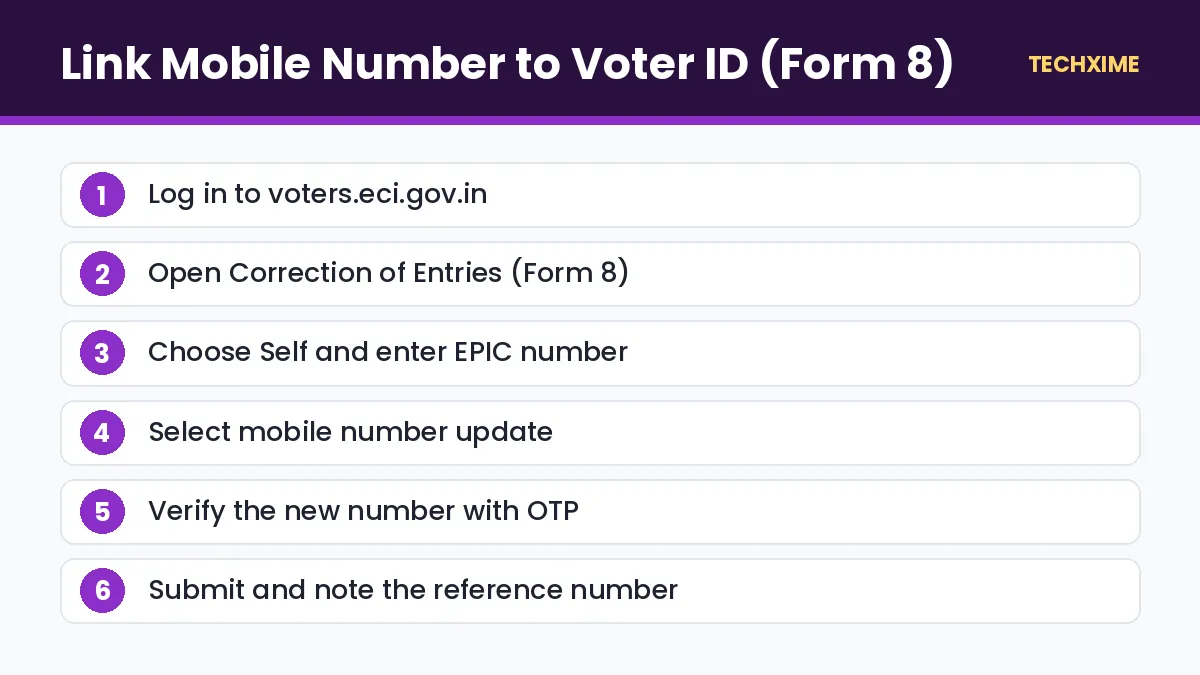
If you cannot download voter ID card because your mobile is not linked, submit Form 8.
- Log in to voters.eci.gov.in.
- Click Correction of Entries (Form 8).
- Choose Self and enter your EPIC number.
- Select the option to update your mobile number.
- Enter the new mobile number and verify with OTP.
- Submit the form and note the reference number.
Once your request is approved by the Electoral Registration Officer, you can download the e-EPIC.
Is e-EPIC Valid for Voting?
At the polling booth, you need to show valid photo identification. The EPIC is the main document, and the ECI also accepts several alternative documents such as Aadhaar, passport, driving licence and PAN card. Keeping the printed e-EPIC or the physical card is the easiest option. Always check the latest ECI instructions before election day.
e-EPIC vs Physical Voter ID Card
| Point | e-EPIC | Physical Card |
|---|---|---|
| Cost | Free | Free for first issue; small fee for replacement |
| Delivery | Instant download | Posted to your address |
| Format | PDF with secure QR code | PVC card |
| Can be lost | No, can be re-downloaded | Yes |
| DigiLocker support | Yes | No |
How to Get a Replacement Physical Voter ID Card
If you want a new physical card because yours was lost or damaged:
- Log in to voters.eci.gov.in.
- Select Form 8 and choose Issue of Replacement EPIC without correction.
- Give the reason, such as lost, destroyed or mutilated.
- Submit and track the application. The card will be posted to your address.
Common Errors and Fixes
“Mobile Number Not Registered With EPIC”
Link your mobile number using Form 8 as explained above.
“Details Not Matching”
Your name in your portal account may be different from your name in the electoral roll. Complete e-KYC or update your profile.
“EPIC Number Not Found”
Check the EPIC number for typos and ensure you selected the correct state. Old EPIC numbers may have been migrated to new formats; search the electoral roll to find your current number.
OTP Not Received
Wait for a few minutes and try again. Make sure your phone has network coverage and that DND settings are not blocking messages.
Other Useful ID Documents You Can Download
Once you have your e-EPIC, you may also want digital copies of your other key documents:
- Learn how to download Aadhaar card as a PDF.
- Get your PAN in minutes with our guide to download e-PAN card.
- Save your driving licence on your phone using our guide to download driving licence.
New Voter? How to Register and Then Download Your e-EPIC
If you have just turned 18 or have never registered, you need to enrol before you can download voter ID card.
- Visit voters.eci.gov.in or open the ECINET app.
- Select New Voter Registration (Form 6).
- Fill in your personal details, address and family details.
- Upload a recent photograph, age proof and address proof. Aadhaar can be used as supporting identity.
- Submit the form and note the reference number.
- A Booth Level Officer (BLO) may visit your address for verification.
- Once approved, use your reference number or EPIC number to download your e-EPIC.
Young voters can apply in advance. The Election Commission accepts applications from people who will turn 18 on the qualifying dates of January 1, April 1, July 1 and October 1 of the year.
Moved to a New City? Shift Your Voter Registration
If you have moved to another constituency, you should shift your registration so that you can vote near your new home.
- Log in to the voters portal.
- Choose Form 8 and select Shifting of residence.
- Enter your new address and upload proof.
- Submit and track the application.
After approval, download voter ID card again to get the updated e-EPIC with your new address and polling station.
How to Check Your Polling Station
Before election day, confirm where you need to vote:
- Use Search in Electoral Roll on voters.eci.gov.in.
- Or open the ECINET app and search by EPIC number.
- Your result shows the polling station name, part number and serial number.
Carry your e-EPIC printout or physical card on voting day, and arrive early to avoid long queues.
Why You Should Download Voter ID Card Even If You Have the Physical Card
Many people ask why they should download voter ID card when they already have the plastic card. There are several good reasons:
- Backup: Physical cards get lost or damaged. The e-EPIC can be downloaded again anytime.
- Convenience: You can carry it on your phone or in DigiLocker without a wallet.
- Updated details: After corrections or a change of address, the e-EPIC shows your latest information immediately.
- Identity proof: It works as a government-issued photo ID for many services.
- Faster verification: The secure QR code can be scanned to verify your details.
Understanding Your e-EPIC
When you download voter ID card, the PDF contains:
| Section | What It Shows |
|---|---|
| Photo | Your photograph from the electoral roll |
| EPIC number | Your unique voter identity number |
| Name and relative’s name | As per the electoral roll |
| Gender and date of birth or age | Personal details |
| Address | Registered address |
| Assembly constituency and part number | Where you are registered |
| Secure QR code | Digitally verifiable details |
If any detail is wrong, submit a correction using Form 8 and download voter ID card again after approval.
Using e-EPIC With DigiLocker
You can upload your e-EPIC PDF to DigiLocker’s Drive section, or fetch the voter ID directly where the Election Commission service is available in DigiLocker. Storing it with your Aadhaar, PAN and driving licence keeps all key documents together.
Download Voter ID Card: Quick Troubleshooting Table
| Problem | Solution |
|---|---|
| Portal says mobile not linked | Submit Form 8 to update mobile number |
| OTP not received | Wait, check network and DND settings, retry |
| Name mismatch | Complete e-KYC or update profile |
| EPIC number not found | Search the electoral roll |
| Download button not visible | Your application may still be pending approval |
Tips for First-Time Voters
If you are voting for the first time, download voter ID card as soon as your application is approved. Check your polling station a few days before election day, carry the e-EPIC or another approved ID, and follow the queue and instructions at the booth. Voting takes only a few minutes, and your e-EPIC makes identity checks quick and easy.
Keep Your Voter Details Updated
Electoral rolls are revised regularly. Check your entry after major life events such as marriage, a move or a change in name. Updating details early means your e-EPIC stays accurate, and you can download voter ID card again with the latest information anytime.
Key Terms Explained
– EPIC: Elector Photo Identity Card, the official voter ID. – e-EPIC: The digital, downloadable PDF version of the voter ID. – ECINET: The Election Commission’s unified citizen app launched in 2026. – Form 6: Application for new voter registration. – Form 8: Application for correction, shifting, mobile update or replacement card. – BLO: Booth Level Officer who verifies voter details locally.
Real-Life Examples
Neha, a first-time voter: She registered using Form 6 online. After her application was approved, she logged in to the ECINET app and was able to download voter ID card in under five minutes.
Suresh moved to Bengaluru: He shifted his voter registration using Form 8 and then downloaded an updated e-EPIC with his new address and polling station.
Meera lost her plastic card: Instead of waiting for a replacement, she downloaded her e-EPIC from voters.eci.gov.in and saved it in DigiLocker. She also applied for a replacement physical card using Form 8.
Expert Tips
– Link your mobile number to your EPIC now, even if there is no election soon. – Download voter ID card again after any correction so you always have the latest version. – Keep a printout in a safe place at home for family members who may need to check details. – Verify your name in the electoral roll a few weeks before every election. – Use only official ECI websites and apps; ignore links that ask for fees. – Encourage elderly family members to download their e-EPIC as well.
Frequently Asked Questions
How can I download voter ID card online?
Log in to voters.eci.gov.in or the ECINET app, open the e-EPIC download option, enter your EPIC number, verify with OTP and download the PDF.
Is it free to download voter ID card?
Yes. The e-EPIC download is free.
Can I download voter ID card without a mobile number?
No. OTP verification on your registered mobile number is required. Link your number using Form 8 first.
What is the file format of e-EPIC?
It is a secure, non-editable PDF with a QR code.
Can I use e-EPIC as ID proof?
Yes. It is an official document from the Election Commission. You can use a printout or keep it in DigiLocker.
I don’t know my EPIC number. What should I do?
Use the Search in Electoral Roll option on voters.eci.gov.in to find it using your name, age and location.
Staying Updated
The Election Commission keeps adding new digital services, so use the official portal or ECINET app whenever you download voter ID card. Official processes, fees and timelines can change over time.
Save this page, share it with family members who may need help, and read our other step-by-step guides on Techxime for Aadhaar, PAN, banking, vehicles and smartphones. If something in the process looks different on the official website, follow the latest instructions shown there, because government portals sometimes change their menus and button names without notice.
Keeping your details current also helps Booth Level Officers maintain an accurate electoral roll for your area.
Conclusion
It is simple to download voter ID card online in 2026. Use the official voters portal or the ECINET app, verify with your registered mobile number, and your e-EPIC PDF is ready in minutes. If your mobile number is not linked, submit Form 8 first. Keep a digital copy on your phone and a printout at home so you are always ready on election day.