
You can apply for passport online in India through the official Passport Seva portal or the mPassport Seva app, book an appointment at a Passport Seva Kendra (PSK) or Post Office PSK, and receive your passport at home after verification. The entire application, including fee payment, is done online, so you only visit the centre once for documents and biometrics.
There are two big updates in 2026. First, passport fees were revised from July 1, 2026, with the standard 36-page passport now costing ₹2,500. Second, chip-based e-passports are being issued at more and more centres. This guide explains the new fees, the documents you need, and how to apply for passport online in eight easy steps, along with tips to avoid delays.
Table of Contents
New Passport Fees From July 1, 2026
The Passports (Amendment) Rules, 2026 revised fees for most services. Here are the new fees for adults.
| Passport Type | Normal | Tatkaal |
|---|---|---|
| Fresh or reissue, 36 pages, 10 years | ₹2,500 | ₹5,000 |
| Fresh or reissue, 60 pages, 10 years | ₹3,500 | ₹6,000 |
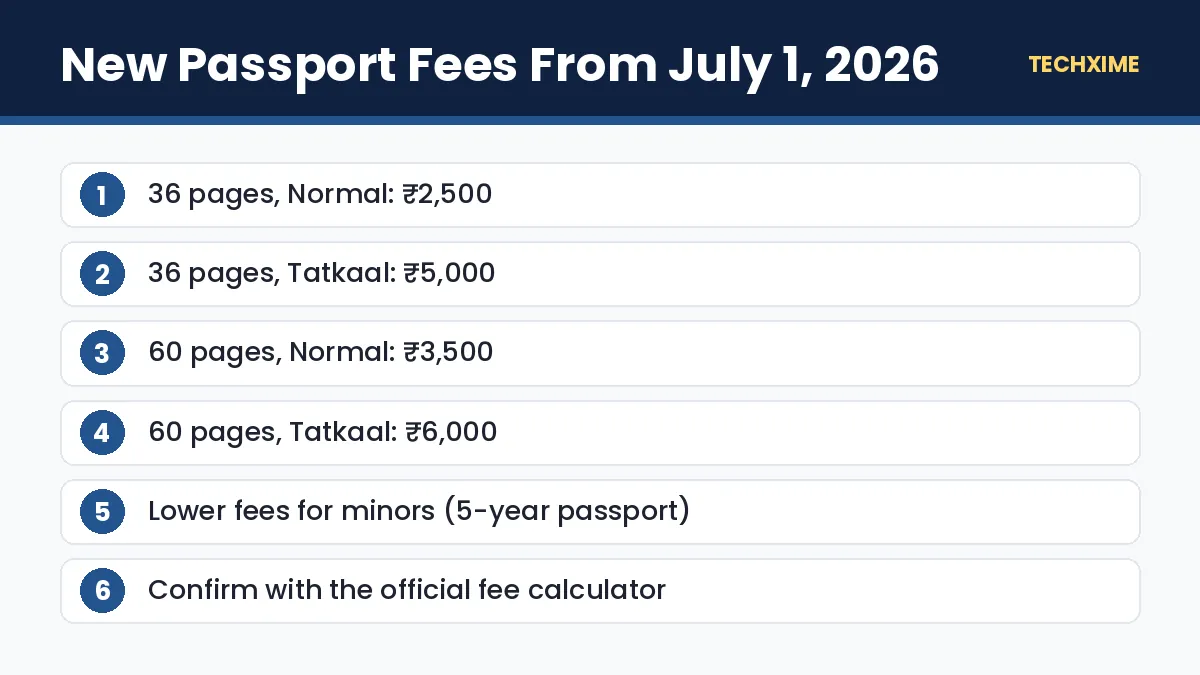
Minors below 18 years pay a lower fee for a five-year passport, and applicants aged 15 to 18 can choose a 10-year passport at the adult rate. The Police Clearance Certificate fee has also increased. Fees can change, so always confirm the final amount using the official fee calculator on the Passport Seva website before you pay.
Types of Passport Services
Before you apply for passport online, choose the right service:
- Fresh passport: For first-time applicants.
- Reissue: For renewal, change of personal details, exhausted pages, or damaged passports.
- Lost or stolen passport: For replacing a lost passport, with an additional fee.
- Tatkaal: Faster processing for urgent travel, at a higher fee.
- Police Clearance Certificate (PCC): For jobs, visas or residency abroad.
Documents Required to Apply for Passport Online
You need proof of identity, address and date of birth. Commonly accepted documents include:
Proof of Address
– Aadhaar card – Bank passbook with photo, from a public sector or major private bank – Water, electricity, telephone or gas bill – Registered rent agreement – Spouse’s passport (with current address)
Proof of Date of Birth
– Birth certificate – Aadhaar card or e-Aadhaar – PAN card – School leaving or matriculation certificate – Driving licence – Voter ID (EPIC)
Other Documents
– Old passport, for reissue. – Annexures as applicable, such as a marriage certificate or change-of-name documents.
Aadhaar is useful for both address and date of birth. Download the latest copy with our guide to download Aadhaar card. You can also keep your voter ID and e-PAN ready as backups.
How to Apply for Passport Online: 8 Easy Steps
Follow these steps to apply for passport online without an agent.
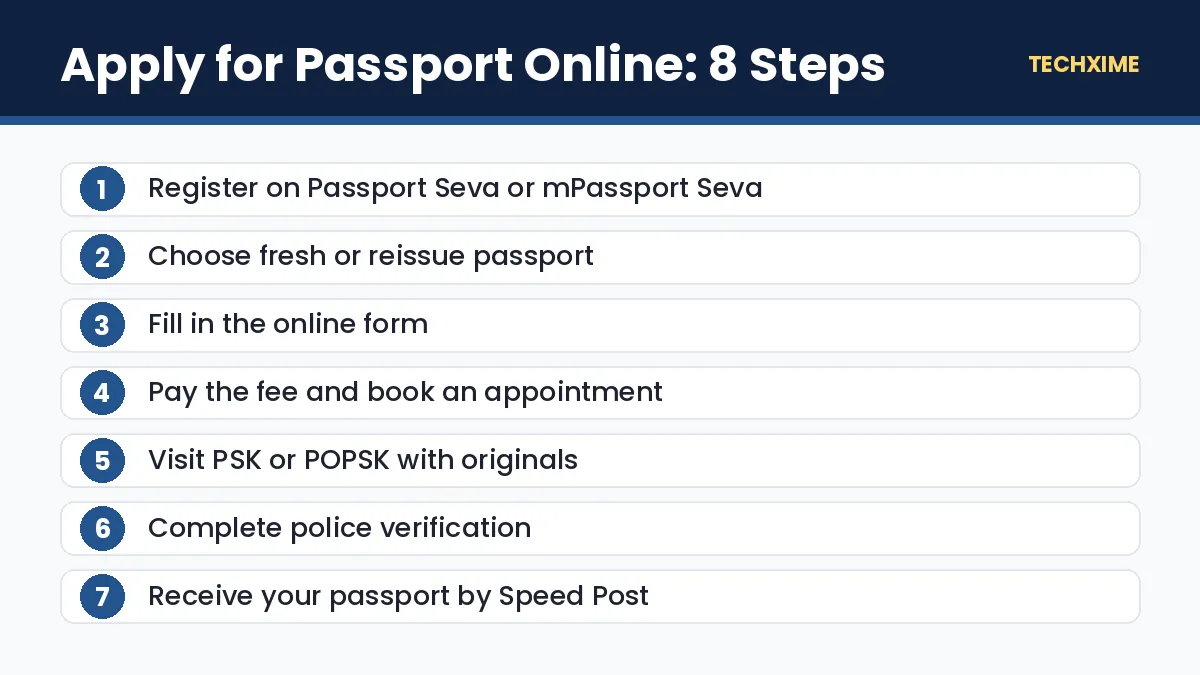
Step 1: Register on Passport Seva
Visit the official Passport Seva website or install the mPassport Seva app. Click New User Registration, select your nearest Passport Office, enter your details and create a login ID. Activate your account using the link sent to your email.
Step 2: Log In and Choose the Service
Log in and select Apply for Fresh Passport/Re-issue of Passport.
Step 3: Fill in the Application Form
Fill in the e-form online. Enter details exactly as they appear in your documents, including name, date of birth, address, family details and emergency contact. Choose between 36 and 60 pages and Normal or Tatkaal.
Step 4: Submit the Form
Review all details carefully and submit. Mistakes in spelling or dates can lead to delays or rejection.
Step 5: Pay the Fee and Book an Appointment
Click Pay and Schedule Appointment. Choose a PSK or POPSK and pick an available slot. Pay online using a card, net banking or UPI where available.
Step 6: Print or Save the Application Receipt
Download the application receipt with your Application Reference Number (ARN). An SMS with appointment details also works at most centres.
Step 7: Visit the Passport Seva Kendra
Reach the centre 15 minutes before your appointment with original documents and self-attested photocopies. Your documents will be checked, biometrics and photo captured, and the application reviewed by an officer. You do not need to bring photos; the centre captures your photo.
Step 8: Police Verification and Dispatch
For most fresh applications, police verification is done at your address. Once verification is cleared, the passport is printed and sent by Speed Post. Track it using your file number.
What Is an e-Passport?
An e-passport has an embedded electronic chip and antenna that stores your personal details and biometrics in encrypted form. It looks similar to a regular passport but has a small symbol on the cover.
Benefits of e-passports include:
- Faster immigration checks at airports that support e-gates.
- Better protection against forgery and tampering.
- International ICAO standards compliance.
You do not need to apply separately for an e-passport. When you apply for passport online at a centre that issues e-passports, you automatically receive one. Existing passports remain valid until they expire.
Normal vs Tatkaal Passport
| Point | Normal | Tatkaal |
|---|---|---|
| Fee (36 pages) | ₹2,500 | ₹5,000 |
| Processing speed | Standard | Faster |
| Police verification | Usually before issue | Often after issue |
| Best for | Planned travel | Urgent travel |
Tatkaal requires certain additional documents. It is best for genuine emergencies, since the higher fee is not refunded if you change your mind.
How to Check Passport Application Status
1. Visit the Passport Seva website or open the mPassport Seva app. 2. Click Track Application Status. 3. Select the application type, enter your 15-digit file number and date of birth. 4. Click Track Status.
You will also receive SMS and email updates at each stage.
Tips to Avoid Passport Delays
– Use the same spelling of your name across all documents. – Update your address in Aadhaar before applying. If your number changed, first update mobile number in Aadhaar. – Choose an early appointment slot, which is often less crowded. – Keep originals and photocopies in order, following the document advisor on the portal. – Stay available at your address for police verification. – Never pay agents or unofficial websites. The official fee is paid only on the Passport Seva portal.
Beware of Fake Passport Websites
Several fake websites look like Passport Seva and charge extra fees. The only official website is passportindia.gov.in, and the official app is mPassport Seva. Never share OTPs or pay through links sent on WhatsApp.
Documents Checklist by Applicant Type
Different applicants need slightly different documents when they apply for passport online. Use this quick checklist.
| Applicant | Key Documents |
|---|---|
| Adult, fresh passport | Aadhaar or address proof, date of birth proof |
| Adult, reissue | Old passport, address proof if address changed |
| Minor | Birth certificate, parents’ passports or address proof, Annexure D if needed |
| Married, name changed | Marriage certificate or Annexure J |
| Government employee | Identity certificate or NOC (Annexure A or B) |
| Senior citizen | Proof of age and address |
The Passport Seva portal also has a Document Advisor that shows exactly which documents you need based on your answers.
Passport for Minors: Special Rules
Children need a passport for any international trip. Key points to know before you apply for passport online for a child:
- Both parents usually need to give consent, or one parent must submit Annexure D or a court order in special cases.
- Minors below 15 get a passport valid for 5 years or until they turn 18, whichever is earlier.
- Minors between 15 and 18 can choose a 10-year passport.
- Carry the child’s original birth certificate and both parents’ documents to the appointment.
How to Prepare for the PSK Appointment
Your appointment at the Passport Seva Kendra is the most important step after you apply for passport online. Prepare well to avoid a second visit:
- Carry the printed application receipt or SMS.
- Keep original documents and one set of self-attested photocopies.
- Wear clothes that contrast with a white background, as the photo is taken at the centre.
- Avoid heavy jewellery or glasses that may cause glare.
- Reach 15 minutes early but not more than that.
If your documents are incomplete, the centre may put your application on hold. You will get a chance to submit missing documents within the allowed time.
Quick Summary: Apply for Passport Online
– You can apply for passport online on passportindia.gov.in or the mPassport Seva app. – Fees from July 1, 2026 are ₹2,500 (Normal) and ₹5,000 (Tatkaal) for a 36-page adult passport. – When you apply for passport online, you pay the fee and book the appointment in the same flow. – Visit the PSK or POPSK with original documents, then complete police verification. – Never pay agents; it is easy to apply for passport online yourself.
Common Reasons Passport Applications Get Delayed
Knowing the common problems helps you avoid them when you apply for passport online:
- Adverse police report: Usually due to a wrong address, absence during verification or pending criminal cases.
- Document mismatch: Different spellings of your name or different dates of birth in documents.
- Missing annexures: Such as marriage certificates, NOCs for government employees or parental consent for minors.
- Incorrect photo or signature: Minors and people with disabilities sometimes need specific handling.
- Wrong Passport Office selected: Your address must fall under the chosen Regional Passport Office.
If your file is put on hold, the status page will tell you what is needed. Submit it within the allowed time to avoid rejection.
How to Renew a Passport Online
Passport renewal is called “Re-issue”. The steps are almost the same as a fresh application:
- Log in to Passport Seva and select Re-issue of Passport.
- Choose the reason, such as validity expired, expiring within one year, or change in personal details.
- Fill in the form, pay the fee and book an appointment.
- Visit the centre with your old passport and supporting documents.
Police verification is often not required for re-issue when there are no major changes, which makes renewal faster. Apply at least six months before expiry, because many countries do not allow entry if your passport expires within six months.
Police Clearance Certificate (PCC)
If you need a PCC for a job abroad, emigration or a long-term visa, you can apply for it the same way you apply for passport online. Select Apply for Police Clearance Certificate, fill in the form, pay the revised fee and book an appointment at the PSK.
Useful Tips for Online Payment and Appointments
– Payment is accepted through net banking, credit or debit cards and other options shown on the portal. – If payment is deducted but not reflected, wait a few hours before paying again. – Appointments are released at fixed times in many cities. Check the portal in the morning for new slots. – You can reschedule an appointment a limited number of times within one year of the first appointment date.
These small details make it smoother to apply for passport online without losing time or money.
Key Terms Explained
– PSK: Passport Seva Kendra, where applicants submit documents and biometrics. – POPSK: Post Office Passport Seva Kendra, a smaller centre run with India Post. – ARN: Application Reference Number generated after submitting the form. – File number: The number used to track your passport application. – Tatkaal: Faster passport processing for urgent cases at a higher fee. – PCC: Police Clearance Certificate for jobs and visas abroad.
Real-Life Examples
Kiran, a first-time applicant: He decided to apply for passport online using the mPassport Seva app, booked an early morning slot at his nearest POPSK, and carried Aadhaar and his school certificate. After police verification at home, his passport arrived by Speed Post.
Fatima needed to travel urgently: She chose Tatkaal, paid ₹5,000 for a 36-page passport and submitted the required documents. Her passport was issued quickly, and police verification was completed afterwards.
A family renewing passports: Parents renewed their passports under Re-issue and applied for their child’s first passport in the same week, using the Document Advisor to prepare each file.
Expert Tips
– Apply for passport online well before any planned trip, ideally three months ahead. – Choose 60 pages if you travel frequently for work. – Double-check your address police station details for faster verification. – Keep digital copies of all documents in DigiLocker for quick uploads. – Track status regularly and respond quickly to any query from the Passport Office.
Frequently Asked Questions
How do I apply for passport online in India?
Register on passportindia.gov.in or the mPassport Seva app, fill in the form, pay the fee, book an appointment, visit the PSK with documents, and complete police verification.
What is the passport fee in 2026?
From July 1, 2026, a 36-page adult passport costs ₹2,500 under Normal and ₹5,000 under Tatkaal. A 60-page passport costs ₹3,500 and ₹6,000.
Is Aadhaar enough to apply for a passport?
Aadhaar is accepted as proof of address and date of birth, which covers most requirements for many applicants.
Do I need to apply separately for an e-passport?
No. If your Passport Seva Kendra issues e-passports, you receive one automatically.
How long does it take to get a passport?
Normal applications typically take a few weeks depending on police verification. Tatkaal applications are usually faster.
Can I apply for passport online without an agent?
Yes. The entire process is simple and designed for individuals to complete on their own.
Staying Updated
Passport rules and fees can change, so always confirm details on the official portal before you apply for passport online. Official processes, fees and timelines can change over time.
Save this page, share it with family members who may need help, and read our other step-by-step guides on Techxime for Aadhaar, PAN, banking, vehicles and smartphones. If something in the process looks different on the official website, follow the latest instructions shown there, because government portals sometimes change their menus and button names without notice.
Conclusion
It is easier than ever to apply for passport online in 2026. Register on Passport Seva or the mPassport Seva app, fill in the form carefully, pay the revised fee, visit the centre with your documents and complete police verification. With chip-based e-passports becoming common, your new passport will also make international travel faster and more secure.