
Update Mobile Number in Aadhaar From Home: 7 Easy Steps With the New Aadhaar App (2026)

You can now update mobile number in Aadhaar from the comfort of your home. UIDAI’s new Aadhaar app lets you change your registered mobile number and address using face authentication, without standing in a queue at an Aadhaar Seva Kendra. The fee is ₹75, the same as at a centre.
Your Aadhaar-linked mobile number is extremely important. It receives OTPs for bank KYC, DigiLocker, income tax e-verification, PF withdrawals, government schemes and much more. If your old number is closed or you switched to a new one, many services stop working. This guide explains who can update mobile number in Aadhaar online, the step-by-step process in the new app, the offline alternatives, and how to track your request.
Table of Contents
Why You Should Update Mobile Number in Aadhaar
A wrong or inactive number in Aadhaar causes more problems than most people realise. Here is what depends on it:
- OTP-based e-KYC for opening bank accounts, demat accounts and mutual fund folios.
- Downloading e-Aadhaar and accessing DigiLocker documents.
- Income tax e-verification of returns using Aadhaar OTP.
- EPF services such as UAN activation and online withdrawals. See our guide to check PF balance.
- Government schemes such as PM-Kisan, Ayushman Bharat and scholarship portals.
- PAN-Aadhaar linking and instant e-PAN.
If you cannot receive OTPs, you may be locked out of all these services. That is why it is worth taking a few minutes to update mobile number in Aadhaar as soon as your number changes.
What Is the New Aadhaar App?
UIDAI launched a new Aadhaar app for Android and iPhone in 2026. It is different from the older mAadhaar app. The new app lets you:
- Carry a digital Aadhaar and share only the details needed using QR-based verification.
- Update your mobile number from home.
- Update your address from home by uploading a valid proof document.
- Track update requests.
- Use face authentication instead of visiting a centre for biometrics.
At present, you cannot change your name, date of birth, gender or email through the app. Those still require a visit to an enrolment centre or the online update portal where applicable.
Who Can Update Mobile Number in Aadhaar Online?
The online option is not available to everyone. You can use the app if:
- The app is registered with the same mobile number that is linked to your Aadhaar, or
- The app is registered with a different number, and you can still receive OTP on your old Aadhaar-linked number.
You cannot use the app if:
- Your old number is no longer accessible, or
- No mobile number was ever linked to your Aadhaar.
In these cases, you must visit an Aadhaar Seva Kendra or use the India Post doorstep service, as explained later.
Documents and Things You Need
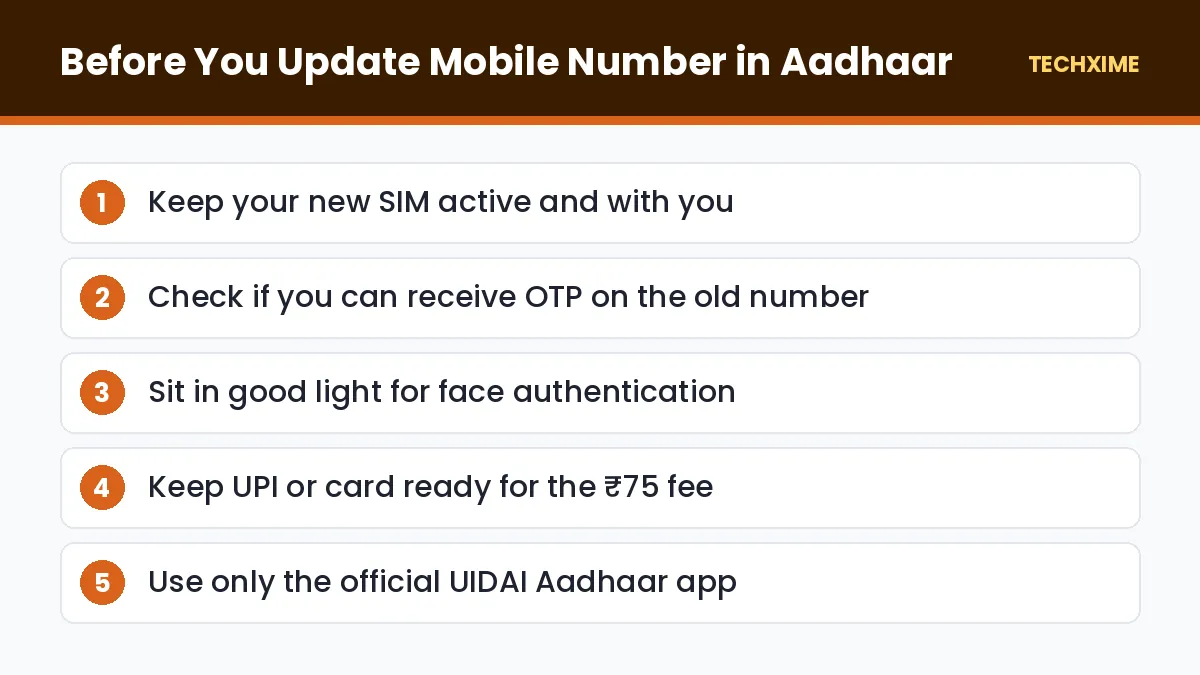
To update mobile number in Aadhaar using the app, keep these ready:
- Your 12-digit Aadhaar number.
- The new mobile number, active and with you.
- Access to your old number for OTP, if required.
- A smartphone with a working front camera for face authentication.
- A UPI app, debit card or net banking for the ₹75 fee.
No documents are needed for a mobile number update. Address updates require a valid proof of address.
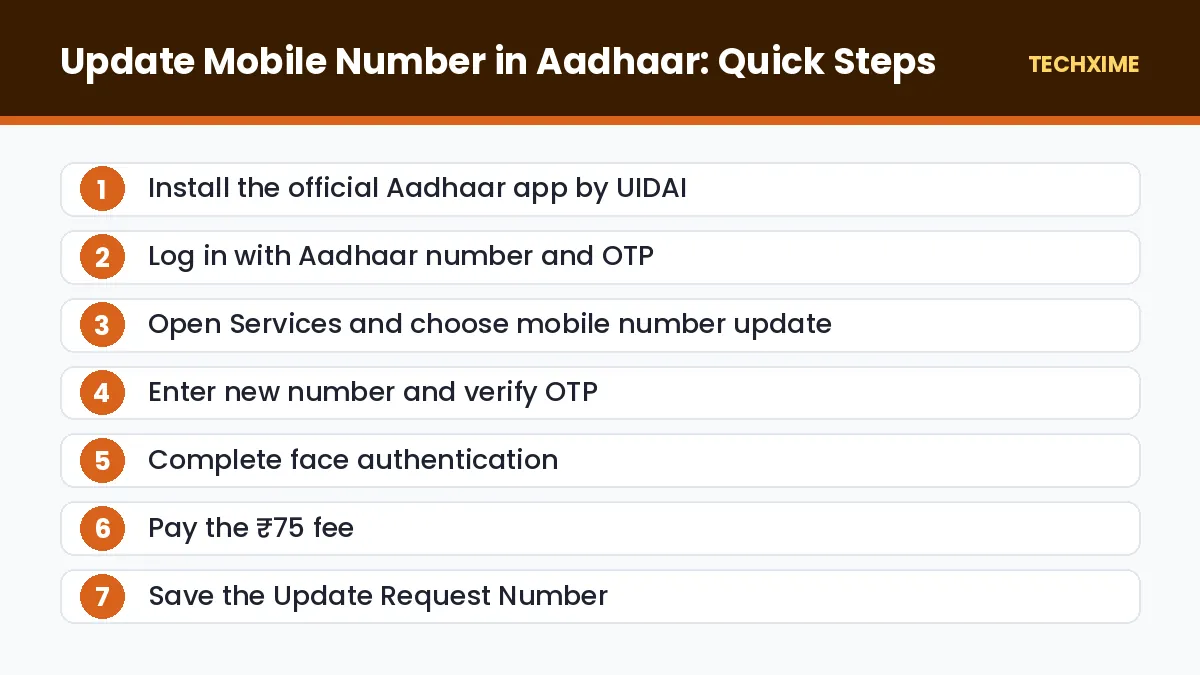
How to Update Mobile Number in Aadhaar: 7 Easy Steps
Follow these steps carefully in the new Aadhaar app.
Step 1: Install the Official Aadhaar App
Download the official Aadhaar app by UIDAI from the Google Play Store or Apple App Store. Check the developer name to avoid fake apps.
Step 2: Register and Log In
Open the app, enter your Aadhaar number, and verify using OTP. Set up a PIN for quick access in future.
Step 3: Choose Mobile Number Update
Go to the Services section and select the mobile number update option.
Step 4: Enter the New Mobile Number
Type your new mobile number carefully. Enter the OTP sent to the new number, and to your old number if the app asks for it.
Step 5: Complete Face Authentication
The app will ask you to look into the front camera. Sit in good light, remove glasses if they cause glare, and follow the on-screen instructions. Face authentication replaces the fingerprint or iris scan done at centres.
Step 6: Pay the ₹75 Fee
Pay the prescribed demographic update fee of ₹75 using UPI, a card or net banking.
Step 7: Save the Update Request Number
After payment you will get an Update Request Number (URN). Take a screenshot or note it down. You will need it to check the status.
How Long Does It Take?
According to UIDAI’s general timelines, most update requests are completed within 30 days, and many are processed much faster. Some may take longer if extra verification is needed. You will receive an SMS once the update is complete.
How to Check Aadhaar Update Status
You can track your request in two ways:
- In the Aadhaar app: Open the tracking section and select your request.
- On the UIDAI website: Visit myaadhaar.uidai.gov.in, choose “Check Enrolment and Update Status”, and enter your URN.
Once your request is complete, download a fresh e-Aadhaar. Follow our guide on how to download Aadhaar card online.
App vs Centre: Which Is Better?
| Point | Aadhaar App | Aadhaar Seva Kendra |
|---|---|---|
| Fee | ₹75 | ₹75 |
| Old number needed | Usually yes | No |
| Verification | Face authentication | Fingerprint or iris |
| Travel and waiting | None | Required |
| Best for | Most users with access to old number | Lost old number or face authentication issues |
Offline Method: Update Mobile Number in Aadhaar at a Centre
If you cannot use the app, the offline process is simple.
At an Aadhaar Seva Kendra or Enrolment Centre
1. Find the nearest centre on the UIDAI website or book an appointment online. 2. Fill in the Aadhaar update form with your new mobile number. 3. Give your fingerprint or iris scan for verification. 4. Pay the ₹75 fee and collect the acknowledgement slip with URN.
You do not need your old mobile number or any document to update mobile number in Aadhaar at a centre.
India Post Doorstep Service
India Post Payments Bank offers Aadhaar mobile update at your doorstep in many areas. Request the service through the IPPB website or by contacting your local post office. A postman visits with a biometric device and completes the update. Availability depends on your location.
Update Address in the Same App
The new Aadhaar app also lets you update your address from home. Choose Address Update, enter your new address, upload a valid proof such as a bank passbook, utility bill or rent agreement accepted by UIDAI, complete face authentication and pay ₹75.
Common Problems and Fixes
– Face authentication fails: Use a well-lit room, hold the phone at eye level, and keep your face centred. Try again after a few minutes. – OTP not received on old number: If you no longer have access, use the offline method instead. – Payment deducted but no URN: Wait a few hours. If the request is not visible, contact UIDAI on 1947 with the payment reference. – Update rejected: Check the SMS for the reason and apply again with the correct details.
Safety Tips
– Only use the official Aadhaar app published by UIDAI. – Never share your Aadhaar OTP with anyone, including people claiming to be from UIDAI or your bank. – Avoid agents who charge extra money to update mobile number in Aadhaar. The official fee is ₹75. – Check how many SIMs are in your name after changing numbers. Our guide on the new SIM card rules shows how.
What to Do After You Update Mobile Number in Aadhaar
Once your request is approved, your new number becomes the official Aadhaar-linked number. A few follow-up steps make sure every service works smoothly.
Update Your Bank Records
Banks have their own mobile number records. Update your number in net banking, at the branch, or through your bank’s app so that transaction alerts and OTPs reach you.
Update Income Tax and PAN Records
Log in to the income tax e-filing portal and update your contact details under My Profile. This ensures you receive refund updates and notices. You can also check your PAN Aadhaar link status while you are there.
Update EPFO, Insurance and Investments
Update your mobile number on the EPFO member portal, insurance policies, demat accounts and mutual fund folios. Many of these use Aadhaar OTP for verification, which will now go to your new number.
Update DigiLocker and Government Apps
Sign in to DigiLocker, UMANG and other government apps using the new number, or update the number in their profile settings.
Who Should Visit a Centre Instead?
While most people can update mobile number in Aadhaar from home, some situations are better handled at a centre:
- Children and teenagers whose biometrics need updating.
- Elderly people who find face authentication difficult.
- Anyone who has lost access to their old number.
- People who need to change multiple details, such as name and date of birth, at the same time.
At the centre, the operator can handle everything in one visit using fingerprint or iris verification.
Why You Should Not Use Agents
Many agents and unofficial websites offer to update mobile number in Aadhaar for a high fee. They may ask for your Aadhaar number, OTP and photos. This is risky because your data can be misused for SIM fraud or loans. The official process is simple, and the fee is only ₹75. Use the official app or visit an authorised centre yourself.
How Aadhaar Face Authentication Works
Face authentication is the key technology that lets you update mobile number in Aadhaar from home. When you look into the camera, the app captures a live image and checks it against the photo stored in the Aadhaar database. It also checks for “liveness” by asking you to blink or move slightly, which prevents someone from using a printed photo.
A few tips help it work the first time:
- Use natural light from the front, not a window behind you.
- Remove caps, masks and tinted glasses.
- Keep your face fully inside the frame and hold the phone steady.
- Make sure your front camera lens is clean.
- If your Aadhaar photo is very old, face matching may fail. In that case, visit a centre to update your biometrics and photo.
Real-Life Scenarios
“I changed my SIM but my old number still works”
This is the easiest case. Use the app to update mobile number in Aadhaar, receive OTP on both numbers and complete face authentication.
“My old number is closed”
You cannot use the app. Visit an Aadhaar Seva Kendra or book India Post doorstep service. You do not need the old number there.
“I want to update my parent’s Aadhaar number”
Your parent must be present for face authentication or biometrics. You can help them in the app on their phone, but the face scan must be theirs.
“I never linked a number to Aadhaar”
Visit a centre to add a mobile number for the first time. After that, future changes can be done in the app.
Aadhaar Update Fees at a Glance
| Service | Fee |
|---|---|
| Mobile number update | ₹75 |
| Address update | ₹75 |
| Other demographic updates at a centre | ₹75 |
| Biometric update | ₹125 |
| Aadhaar download (e-Aadhaar) | Free |
Always pay only the official fee, whether you update mobile number in Aadhaar at a centre or through the app, and ask for a receipt.
Key Terms Explained
– UIDAI: Unique Identification Authority of India, the agency that issues Aadhaar. – URN: Update Request Number, used to track your request. – Demographic update: Changes to details like mobile number, address, name or date of birth. – Biometric update: Changes to fingerprints, iris scans or photograph. – Face authentication: Verifying identity by matching a live face scan with Aadhaar records. – Aadhaar Seva Kendra: A UIDAI-run centre for enrolment and updates.
Final Checklist
1. Confirm your eligibility for the app method. 2. Keep your new SIM active and nearby. 3. Update mobile number in Aadhaar using the app, or visit a centre. 4. Save your URN and track the status. 5. Download a fresh e-Aadhaar once the update is complete. 6. Update the new number with your bank, EPFO, income tax portal and DigiLocker.
Expert Tips
– Update mobile number in Aadhaar before you close your old SIM, so you can still receive OTP on it. – Use a number registered in your own name, not a family member’s, to avoid future verification issues. – Take a screenshot of the payment confirmation and URN. – Check status after a week, and download the updated e-Aadhaar once approved.
Frequently Asked Questions
Can I update mobile number in Aadhaar online?
Yes. You can update mobile number in Aadhaar using UIDAI’s new Aadhaar app with OTP and face authentication, as long as you meet the eligibility conditions.
What is the fee to update mobile number in Aadhaar?
The fee is ₹75, whether you update through the app or at an Aadhaar centre.
Can I update my number if my old number is closed?
Not through the app. Visit an Aadhaar Seva Kendra or use the India Post doorstep service. Your old number is not needed there.
How long does the update take?
Most requests are completed within 30 days, and many are done sooner.
Do I need any documents?
No documents are needed to update mobile number in Aadhaar. Only an address update requires proof.
Can I update my name or date of birth in the new app?
No. The app currently supports mobile number and address updates only.
Conclusion
Thanks to UIDAI’s new app, you can now update mobile number in Aadhaar from home in a few minutes using OTP and face authentication. The fee is just ₹75, and most updates are completed within a few days to a few weeks. If your old number is no longer active, the Aadhaar Seva Kendra or India Post doorstep service remains a simple fallback. Keep your Aadhaar-linked number up to date so that bank, tax and government services always work smoothly.