
PF Withdrawal Online 2026: 9 Easy Steps on UAN Portal & UMANG, Rules, TDS and Auto-Settlement

PF withdrawal online is now quick and paperless. If your UAN is active and linked with Aadhaar, PAN and your bank account, you can submit a claim on the EPFO member portal or the UMANG app in about ten minutes, without your employer’s signature. Many claims up to ₹5 lakh are now settled automatically, often within three working days.
EPFO has also simplified its partial withdrawal rules and is rolling out EPFO 3.0, which aims to make PF money even easier to access. Whether you need money for medical treatment, a wedding, education, a house or because you left your job, this guide explains PF withdrawal online in nine easy steps, the latest rules, tax implications and how to fix common rejection reasons.

Table of Contents
Requirements for PF Withdrawal Online
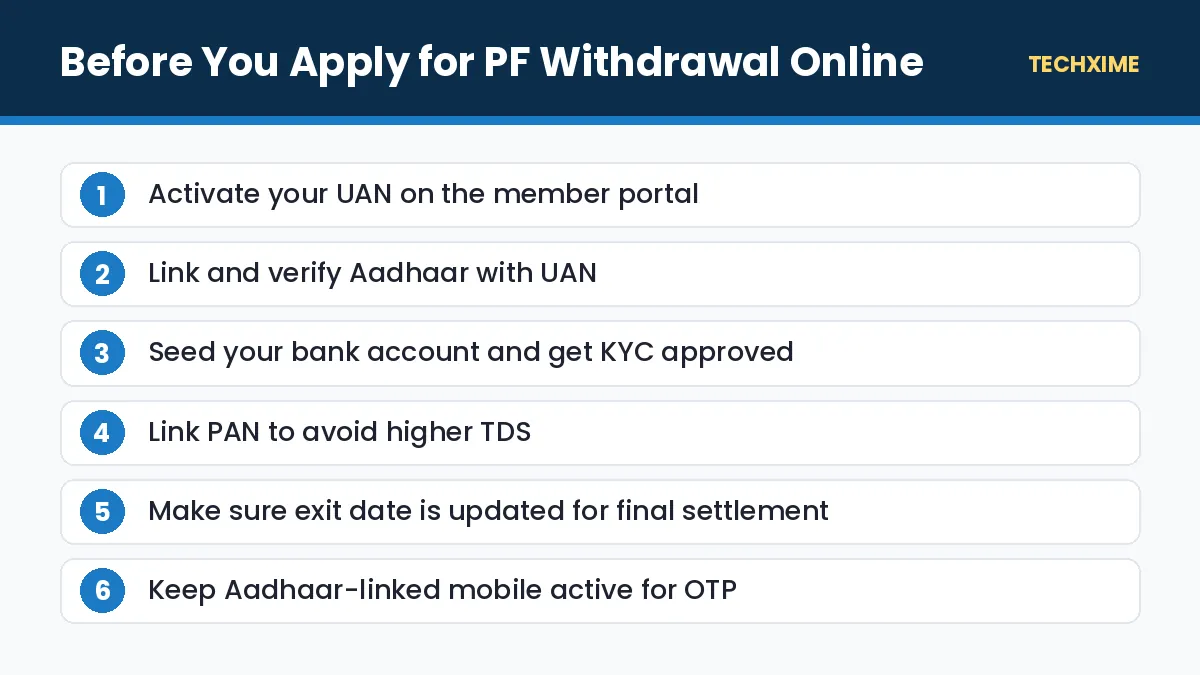
Before you start, make sure these conditions are met:
| Requirement | Why It Matters |
|---|---|
| UAN activated | You need it to log in to the member portal |
| Aadhaar linked and verified | Claims are authenticated with Aadhaar OTP |
| Bank account seeded with KYC approved | Money is paid only to this account |
| PAN linked (recommended) | Avoids higher TDS on taxable withdrawals |
| Date of joining and exit updated | Needed for final settlement claims |
| Mobile linked to Aadhaar | To receive OTP |
If your Aadhaar-linked number is outdated, first update mobile number in Aadhaar. You should also confirm your balance using our guide to check PF balance.
Types of PF Withdrawal
There are three main ways to withdraw from your EPF account.
Partial Withdrawal (Advance)
You can withdraw part of your PF while still employed for specific needs. EPFO has simplified these rules into broad categories:
- Essential needs: Illness, education and marriage.
- Housing needs: Buying or building a house, or repaying a home loan.
- Special circumstances: Situations such as natural calamities or other notified emergencies.
Under the simplified rules, members can withdraw a large share of their eligible balance, including the employer’s contribution, while keeping at least 25% of their contributions in the account so that retirement savings and interest continue to grow.
Final Settlement
After you leave your job and are not employed in an EPF-covered establishment, you can apply for final settlement. Unemployment-based withdrawal rules have changed over time, so check the eligibility shown on the portal when you file your claim.
Pension Withdrawal (Form 10C)
If you have less than 10 years of service when you leave, you may be eligible to withdraw the pension (EPS) amount using Form 10C, or take a scheme certificate to carry it forward.
How to Do PF Withdrawal Online: 9 Easy Steps
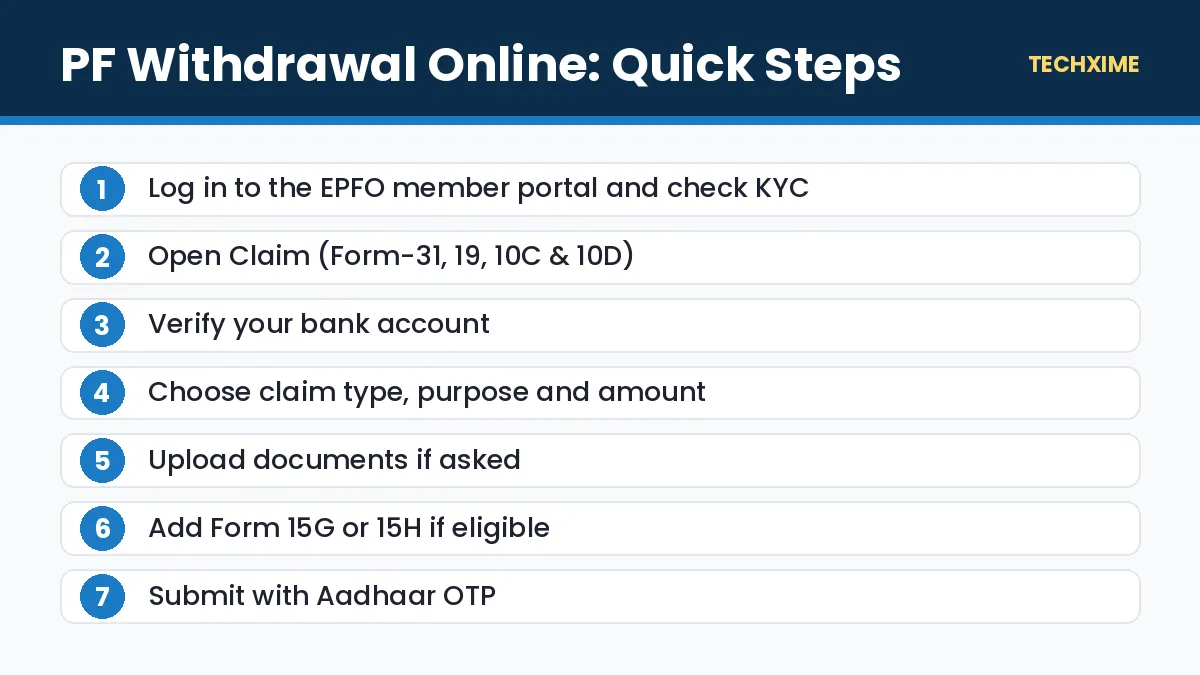
Follow these steps on the EPFO member portal.
Step 1: Log In to the Member Portal
Visit the EPFO Member e-Sewa portal and log in with your UAN, password and captcha. Verify with OTP if asked.
Step 2: Check Your KYC
Go to Manage > KYC and confirm that Aadhaar, PAN and bank details show as verified.
Step 3: Open the Claim Form
Click Online Services > Claim (Form-31, 19, 10C & 10D).
Step 4: Verify Your Bank Account
Enter the last four digits of your bank account number and click Verify. Accept the certificate of undertaking.
Step 5: Choose the Claim Type
Select what you want to apply for:
- PF Advance (Form 31) for partial withdrawal.
- Only PF Withdrawal (Form 19) for final settlement.
- Only Pension Withdrawal (Form 10C) for EPS withdrawal.
Step 6: Select the Purpose and Amount
For a partial withdrawal, choose the purpose, enter the amount within the eligible limit shown, and fill in your address.
Step 7: Upload Documents if Required
Most claims need no documents. Some purposes may ask for a cheque leaf or passbook image. Upload a clear scan if prompted.
Step 8: Submit Form 15G or 15H if Applicable
If your withdrawal is taxable but your total income is below the taxable limit, upload Form 15G (or 15H for senior citizens) to avoid TDS.
Step 9: Authenticate With Aadhaar OTP
Click Get Aadhaar OTP, enter the OTP and submit. Your claim is now filed.
PF Withdrawal Online Using the UMANG App
You can also apply from your phone using the UMANG app.
- Install UMANG and log in with your mobile number.
- Search for EPFO and choose Raise Claim.
- Enter your UAN and verify with OTP.
- Select the claim type and purpose.
- Enter the amount and submit with OTP.
Auto-Settlement: Faster PF Claims
EPFO raised the auto-settlement limit for advance claims to ₹5 lakh. Eligible claims up to this amount are processed automatically without manual checks, often within three working days. Claims above this limit or with mismatched details still go through manual review.
To benefit from auto-settlement, make sure your KYC is complete, your name matches in Aadhaar and EPFO records, and your bank account is verified.
What Is EPFO 3.0?
EPFO 3.0 is EPFO’s upgraded technology platform. It aims to offer faster claim settlement, easier corrections, and new ways to access PF money, including withdrawals through UPI and ATM-linked services. These features are being rolled out in phases, so availability may differ by member. Until the new options appear in your account, use the member portal or UMANG for PF withdrawal online.
Is PF Withdrawal Taxable?
| Situation | Tax Treatment |
|---|---|
| 5 or more years of continuous service | Tax-free |
| Less than 5 years, amount up to ₹50,000 | No TDS |
| Less than 5 years, amount above ₹50,000, PAN linked | 10% TDS |
| Less than 5 years, amount above ₹50,000, no PAN | Higher TDS |
| Form 15G/15H submitted (eligible cases) | No TDS |
Service with previous employers counts towards five years if you transferred your PF. Even when TDS is deducted, you can claim it back in your income tax return if your total tax is lower. See our guide on ITR refund status to track refunds.
How to Check PF Claim Status
1. Log in to the member portal. 2. Go to Online Services > Track Claim Status. 3. View the status of each claim with dates.
You can also check through the UMANG app or the EPFO passbook portal. EPFO sends SMS updates when the claim is settled and the money is credited.
Common Reasons for PF Claim Rejection
– Bank account not verified or mismatched name. Fix the bank KYC on the portal. – Date of exit not updated. Ask your previous employer to update it, or update it yourself on the portal where allowed. – Unclear cheque or passbook image. Upload a clear, readable scan. – Aadhaar and EPFO details mismatch. Correct your name, date of birth or gender through the joint declaration process. – Wrong claim type. Choose Form 31 for advances and Form 19 for final settlement. – Insufficient service for the chosen purpose. Check eligibility before applying.
Should You Withdraw Your PF?
EPF is one of the safest long-term savings options, with interest of 8.25% declared for recent years and tax benefits. Before withdrawing, consider:
- Withdraw only what you need, especially for non-emergency purposes.
- Transfer your PF when you change jobs instead of withdrawing, so your service continues.
- Remember that money withdrawn early loses years of compounding.
Quick Summary: PF Withdrawal Online
– PF withdrawal online needs an active UAN, verified Aadhaar and seeded bank account. – Use the EPFO member portal or the UMANG app to file claims. – Auto-settlement covers eligible advance claims up to ₹5 lakh. – Withdrawals after five years of service are tax-free. – Keep at least 25% of contributions in your account under the simplified partial withdrawal rules.
Key Terms Explained
– UAN: Universal Account Number for EPF members. – Form 31: Partial withdrawal or advance claim. – Form 19: Final PF settlement claim. – Form 10C: Pension (EPS) withdrawal or scheme certificate. – Form 15G/15H: Declarations to avoid TDS when total income is below the taxable limit. – Auto-settlement: Automated processing of eligible claims without manual checks.
Expert Tips
– Complete KYC long before you need money. – Use the same name and date of birth in Aadhaar, PAN and EPFO. – Track your claim and respond quickly to any query. – Transfer old PF accounts to your current UAN. – Avoid agents who charge fees for PF withdrawal online; the process is free.
PF Withdrawal Online for Different Needs
Here is how the process works for the most common reasons people withdraw PF.
Medical Emergency
Choose PF Advance (Form 31) and select illness as the purpose. Medical advances are among the fastest to settle. You can apply for yourself or family members as allowed.
Marriage and Education
Select marriage or education under the essential needs category. You can apply for your own marriage or education, or that of your children or siblings where permitted.
Buying or Building a House
Choose the housing purpose. You may need to provide property or loan details. Housing withdrawals are often larger, so check the eligible amount shown on the portal.
After Leaving a Job
Wait until your exit date is updated, then apply for final settlement (Form 19) and, if eligible, pension withdrawal (Form 10C). If you joined a new job, transfer your PF instead of withdrawing it.
PF Withdrawal Online vs PF Transfer
Many people withdraw PF every time they change jobs. This is usually a mistake.
| Point | Withdrawal | Transfer |
|---|---|---|
| Retirement savings | Reduced | Preserved |
| Interest | Stops on withdrawn amount | Continues |
| Tax | Taxable if service under 5 years | No tax |
| Service continuity | Broken | Continues for tax and pension |
Transfer your PF online through Online Services > One Member – One EPF Account (Transfer Request) when you change jobs.
Documents to Keep Ready
– Cancelled cheque or bank passbook image with your name and IFSC. – PAN card. – Form 15G or 15H if eligible. – Medical or other supporting papers only if the portal asks.
Most PF withdrawal online claims need no documents because your details are already verified through KYC.
How Long Does PF Withdrawal Online Take?
Auto-settled advance claims are usually processed within three working days. Final settlement and pension claims may take longer, typically up to 20 days, because they need more verification. If your claim is pending for more than 20 days, raise a grievance on the EPFiGMS portal with your claim ID.
PF Withdrawal Online: Final Checklist
1. Confirm UAN activation and KYC before starting your PF withdrawal online. 2. Check the eligible amount shown for your purpose. 3. Choose the correct form for your PF withdrawal online claim. 4. Upload Form 15G or 15H if you qualify. 5. Track your PF withdrawal online claim until the money reaches your bank.
Frequently Asked Questions
How can I do PF withdrawal online?
Log in to the EPFO member portal, open Online Services > Claim, verify your bank account, choose the claim type and purpose, and submit with Aadhaar OTP.
How long does PF withdrawal take?
Auto-settled claims are often paid within three working days. Other claims may take longer depending on verification.
Do I need my employer’s approval?
No. If your Aadhaar is linked and KYC is approved, you can apply without employer attestation.
How much PF can I withdraw while working?
Under simplified rules, you can withdraw a large share of your eligible balance while keeping at least 25% of contributions in the account.
Is PF withdrawal taxable?
It is tax-free after five years of continuous service. Earlier withdrawals above ₹50,000 attract TDS unless Form 15G/15H applies.
Can I withdraw PF using UPI?
EPFO 3.0 aims to offer UPI and ATM-based access. Check whether the feature is available in your account; otherwise use the portal or UMANG.
Conclusion
PF withdrawal online is fast and simple when your UAN, Aadhaar, PAN and bank details are in order. File your claim on the EPFO member portal or UMANG, choose the right form, authenticate with Aadhaar OTP and track the status online. With auto-settlement up to ₹5 lakh and EPFO 3.0 on the way, getting your PF money has never been easier, but remember to withdraw only what you need to protect your retirement savings.